What Is a Microscope Slide Label Printer?
Table of Content
[Hide]
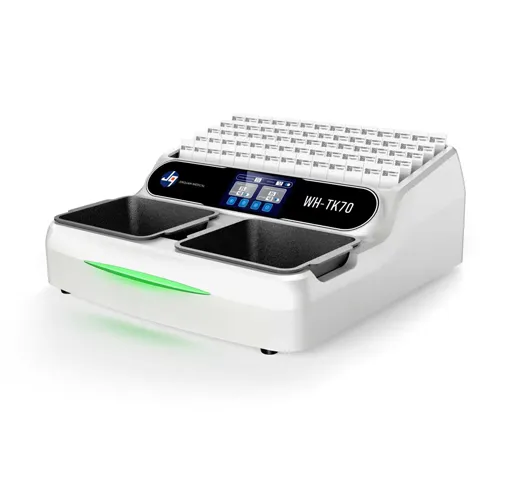
In modern laboratories, precision extends far beyond the microscope itself. It applies to every step of specimen identification and tracking. A microscope slide label printer is a specialized device designed to produce durable, high-resolution labels for glass microscope slides. These labels typically include critical information such as patient data, sample IDs, barcodes, QR codes, dates, and laboratory references.
As a result, microscope slide label printers are widely used in pathology, histology, cytology, and research laboratories to ensure that each specimen can be accurately identified and tracked throughout its lifecycle.
What Makes a Slide Label Printer Different?
Slide label printers are engineered to operate in demanding laboratory environments where slides are exposed to chemicals, alcohol, xylene, staining reagents, and temperature fluctuations. They are designed specifically to:
High-resolution printing (commonly 300 dpi or higher)
Support for small label formats suitable for microscope slides
Barcode and QR code printing for automated tracking
Integration with LIS/LIMS systems
Batch printing capability for high-throughput workflows
Because specimen traceability is critical, these printers are developed with reliability, consistency, and data integrity as core requirements.
Types of Microscope Slide Label Printers
1. Thermal Transfer Printers
Thermal transfer technology uses a ribbon to transfer ink onto label material. It is widely used because it provides:· High durability · Strong chemical resistance · Stable barcode readability Many laboratory-grade systems use resin-based ribbons to ensure resistance to solvents and staining processes.
2. Direct Thermal Printers
Direct thermal printers do not require ribbons but are generally less suitable for long-term or chemically exposed environments due to potential fading and limited resistance.
3. Laser Slide Printers
Some systems print directly onto coated glass slides using laser. These eliminate the need for adhesive labels but typically involve higher equipment costs and more specialized consumables.
Why Laboratories Need Slide Label Printers?
Handwritten labeling introduces variability, including smudging, fading, and human error. In diagnostic environments, even a single mislabeled slide can lead to serious consequences.
A microscope slide label printer helps ensure:
Consistent and standardized formatting
Clear and durable identification
Reliable barcode-based tracking
Reduced labeling errors
Improved workflow efficiency
In histology workflows, slides often undergo multiple processing steps, including staining, heating, and storage, all of which require labels to remain legible and firmly attached. Reliable labeling supports the entire specimen lifecycle:
Sample collection→Slide preparation →Staining and processing →Analysis and diagnosis →Storage and archiving
Maintaining label integrity across all stages is essential for accurate results and traceability.
Conclusion
A microscope slide label printer may appear to be a small piece of equipment, but its role in laboratory accuracy is significant. From clinical diagnostics to advanced research, proper slide identification is essential for maintaining data integrity and ensuring patient safety. For laboratories seeking reliable and durable labeling solutions, Jinquan provides professional slide labeling systems designed to meet the practical demands of modern laboratory environments. For more information, please contact our team.